
01
Global-first product surface
v0.7.9 localizes dashboard widgets, issue views, sprint screens, settings panels, notification rows, metadata, and burndown date labels through next-intl.
30 localesRTL Arabic/HebrewLocale-safe dates
Open source · MIT · v0.7.9
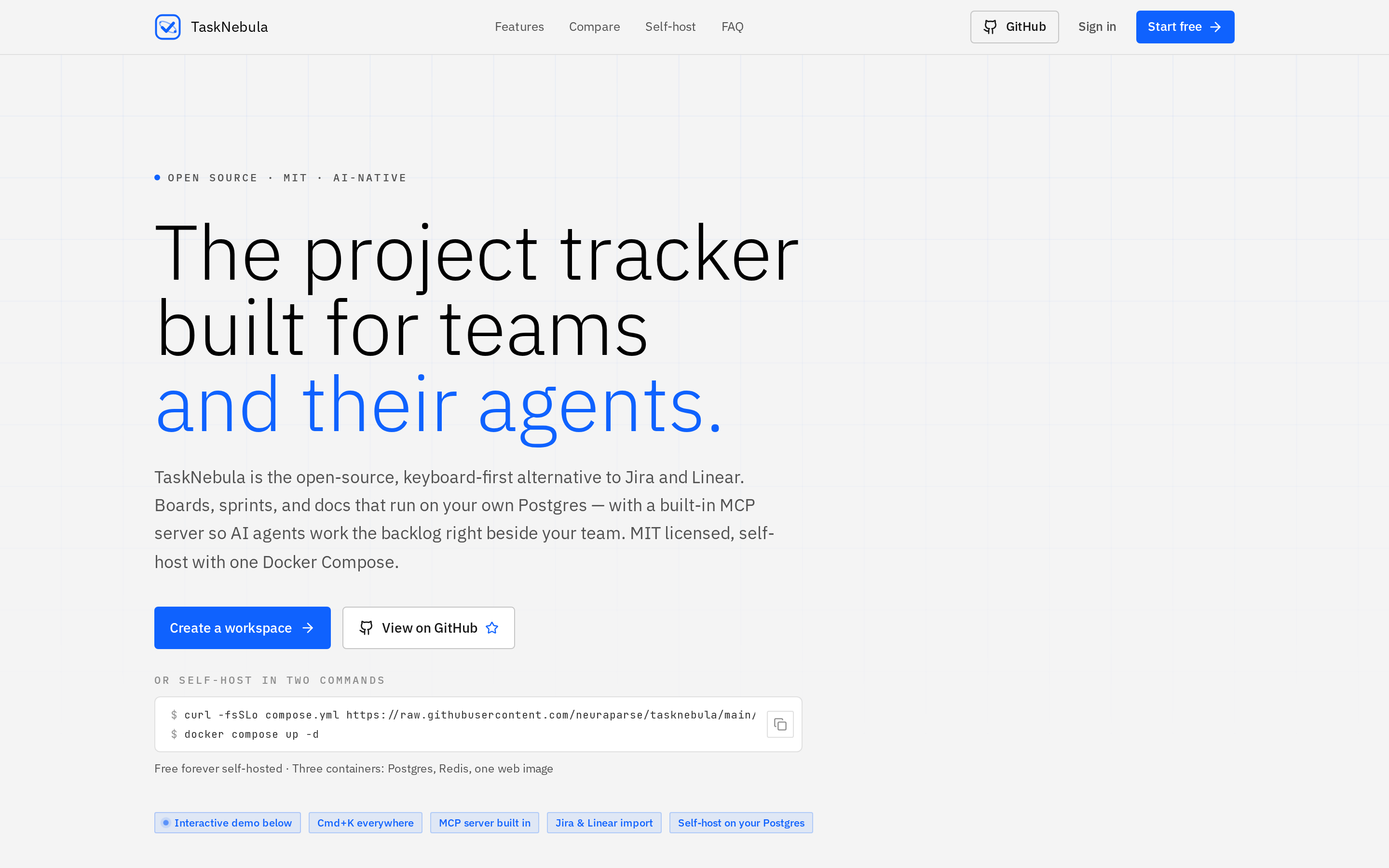
TaskNebula is the Neura Parse open-source project-management control plane: Linear-like UX, Jira-scale work graph, Docker-first operations, 30-language localization, and opt-in AI that can stay fully under your keys.
Real product screenshot
Self-hosted project management, AI drafting, governance, and update awareness in one workspace.
v0.7.9
Latest release
30
Locales
34
GitHub stars
MIT
License
Product surface
The previous page leaned too hard on generic project-planning language. This version uses TaskNebula's current June 2026 screenshots and maps the whole repo into a clearer product narrative.
A dense work hub for projects, activity, personal work, analytics, and update awareness.
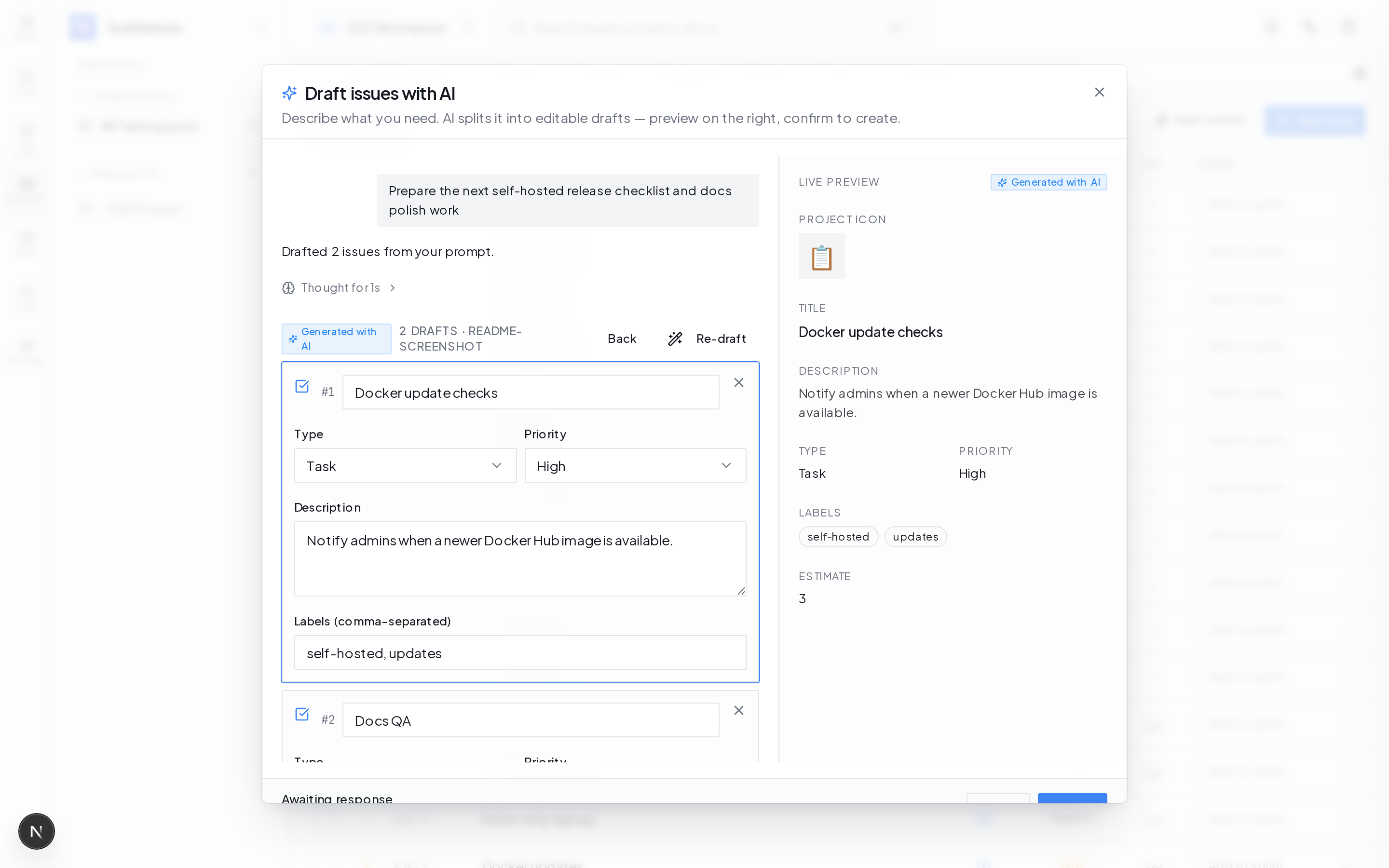
One prompt becomes a single issue or editable checklist before bulk creation.
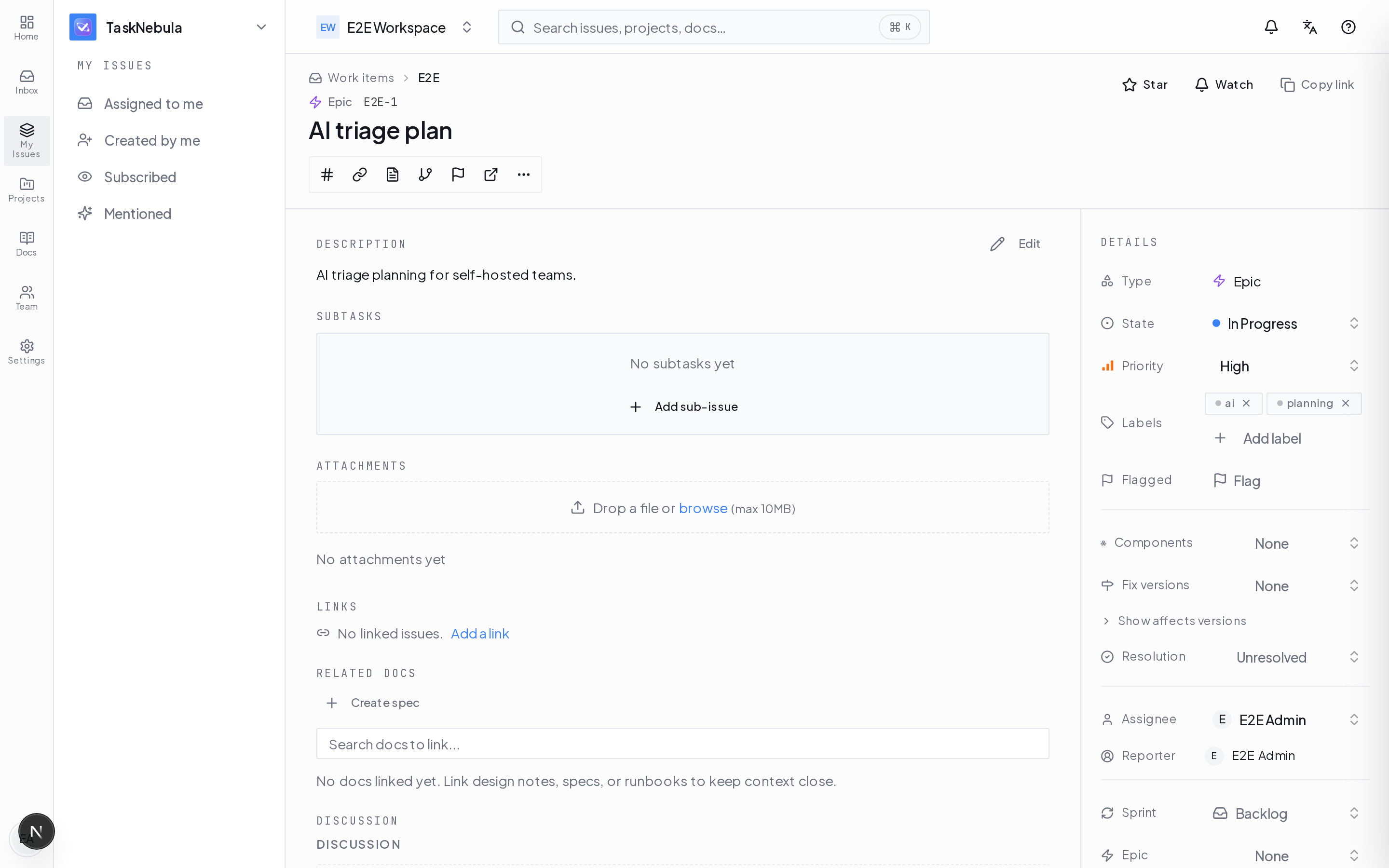
Labels, versions, components, comments, sub-issues, and per-issue assist in one view.
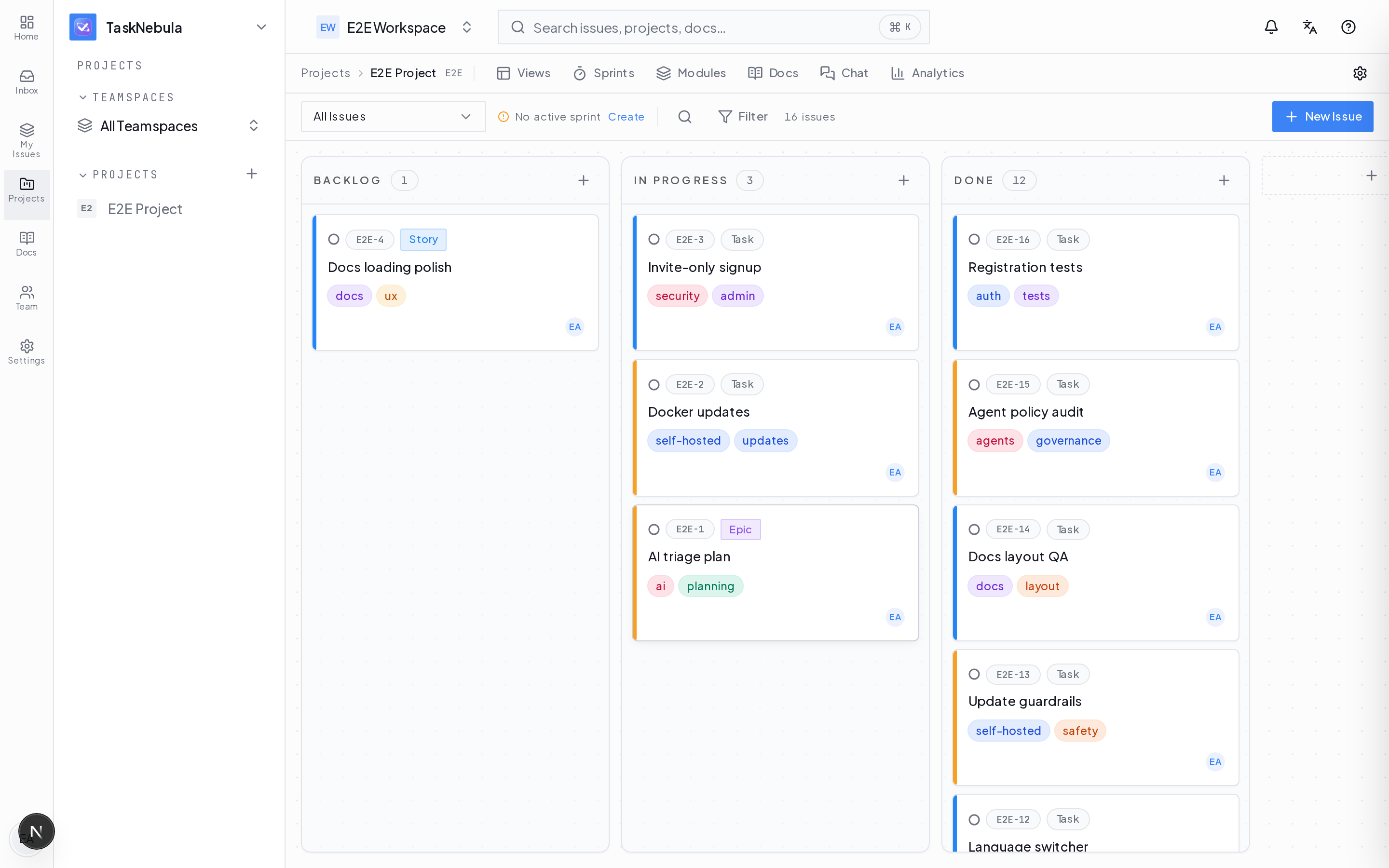
Kanban, sprint work, drag-and-drop planning, presence, and project status loops.
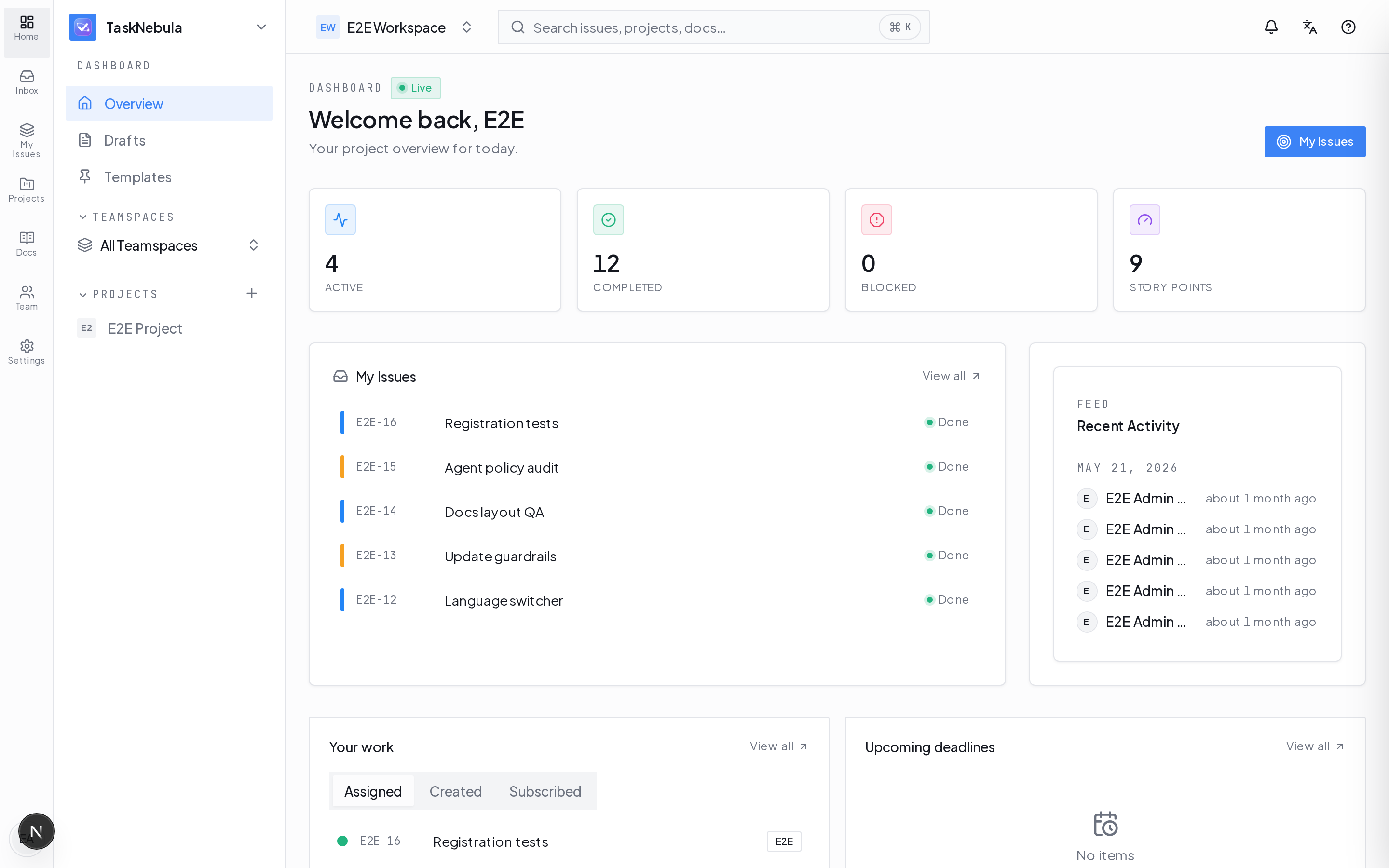
Standup, catch-up, analytics, deadlines, pinned work, and recent activity.
Release line
The repository now describes a broader self-hosted operating surface: localization, governance, update awareness, agent workflows, admin hardening, and a product UI refresh.
01
v0.7.9 localizes dashboard widgets, issue views, sprint screens, settings panels, notification rows, metadata, and burndown date labels through next-intl.
02
The June line refreshes dashboards, project pages, settings, shell navigation, cards, buttons, loading states, and transactional email templates around square geometry and stronger contrast.
03
Docker Hub webhooks, scheduled version checks, admin update notifications, digest metadata, and optional signed self-update handoff keep operators in control.
Capabilities
This is the useful framing for SEO and buyers: TaskNebula is a self-hosted Linear/Jira alternative, but the differentiation is AI-agent governance and boring Docker operations.
01
Issues, epics, subtasks, sprints, burndown, velocity, initiatives, roadmap views, custom fields, issue links, attachments, importers, and transition rules.
02
Realtime presence, activity feed, comments, mentions, watchers, email digests, project chat, issue threads, LiveKit voice rooms, Tiptap, and Yjs.
03
30+ permission types, 63+ audit actions, role-based access, issue security levels, signed webhooks, OAuth, SAML/SCIM scaffolding, and registration controls.
04
AI is off by default. Workspace admins can enable OpenAI or Anthropic keys, keep native heuristic planning, save model profiles, and audit rotations.
05
Burndown, velocity, cycle time, throughput, lead-time distributions, project health, native charts, AI insights, retrospectives, and CSV/JSON export.
06
Cmd+K omnibar, keyboard shortcuts, route skeletons, real-time sync, Docker Compose, API keys, MCP work, AGENTOWNERS, and local coding-agent handoff.
Install path
The repo now distinguishes quick Linux installs, Docker Desktop demos, pinned production releases, and source builds. That nuance matters for trust.
One-command Docker
Fresh Linux VM or homelab box
curl -fsSL https://raw.githubusercontent.com/neuraparse/taskNebula/main/scripts/quickstart.sh | bashDocker Desktop
Local Mac, Windows, Linux, or WSL demo
curl -fsSLo compose.yml https://raw.githubusercontent.com/neuraparse/taskNebula/main/docker-compose.desktop.yml && docker compose up -dPinned production
Repeatable self-hosted release
TASKNEBULA_IMAGE=neuraparse/tasknebula:0.7.9 docker compose up -dSource build
Local patching or contribution
git clone https://github.com/neuraparse/taskNebula.git && cd taskNebula && docker compose up -d --buildProduction topology
Operating flowBrowser / PWA
Localized UI
Next.js standalone web
Health endpoint
PostgreSQL + pgvector
Persistent data
Redis pub/sub
Realtime fan-out
Optional LiveKit + cron
Explicit profiles
Deep dives
TaskNebula now has focused pages for operators, AI-governance readers, and technical evaluators. They interlink cleanly and keep the main page from becoming a README dump.
Architecture
TaskNebula is intentionally conventional: Next.js, Postgres, Redis, Docker, reverse proxy, optional LiveKit and cron. The sophistication is in product flow and governance, not exotic infrastructure.
Roadmap
That is a strength for a self-hosted project: the repo does not just market capability; it names the work graph, agent, importer, API, governance, and scale gaps being closed.
Q3 2026
Labels, components, versions, resolution, issue rank, workflow enforcement, boards, JQL v2, notification schemes, tenant isolation, API keys, pagination, and scale floor.
Q4 2026
Deep GitHub/GitLab links, importer v2, release notes, semantic search, Ask-AI last mile, agent approval queue, MCP v2, and coding-agent deeplinks.
H1 2027
Custom hierarchy, field schemes, permission enforcement, portfolio plans, SLAs, configurable dashboards, proactive risk detection, and agent builder direction.
Operator checklist
For procurement and technical search, it matters that TaskNebula names the image, secrets, network, persistence, update, automation, and AI-key posture.
Image
Pin TASKNEBULA_IMAGE=neuraparse/tasknebula:0.7.9 outside quick demos.
Secrets
Generate AUTH_SECRET, REDIS_PASSWORD, and LIVEKIT_API_SECRET per install.
Network
Keep Compose ports bound to 127.0.0.1 and expose through TLS reverse proxy.
Persistence
Back up postgres_data, redis_data, and uploads_data.
Updates
Pull image, restart, then verify GET /api/health.
Automation
Enable cron only with docker compose --profile cron up -d cron.
Run it yourself
TaskNebula is positioned as the self-hostable project-management control plane for teams that want inspectable operations, not another black-box SaaS.