Abstract
QFlow Studio is easiest to understand through a small workflow that can still fail in visible ways. A Bell circuit gives the team a clear expected structure, a simulator-first check, a result distribution to inspect, and a compact evidence packet another person can review.
Gap map
A Bell workflow is small enough to inspect end to end.
The useful artifact is not the circuit screenshot. It is the connected path from an expected behavior to a result and a review decision.
Frame
- Bell-state brief
- Expected 00 / 11 outcomes
- Acceptance and stop conditions
Build
- H on q0
- CX q0 → q1
- Measurement
- Generated source
Run
- Local validation
- Route preflight
- Explicit submit
- Trace and status
Prove
- Counts and probabilities
- JSON / CSV exports
- Reviewer note
- Share boundary
QFlow Studio is the workflow layer around a quantum circuit.
A circuit editor helps a user place gates. A provider console helps a user access a simulator or quantum device. An SDK helps a developer express, compile, and execute programs. QFlow Studio connects those activities to the brief, route decision, run history, exports, and evidence that explain why the experiment exists and what happened.
That distinction matters for the name QFlow. Unrelated companies, algorithms, and research projects also use the word. In this guide, QFlow always means QFlow Studio, the Neura Parse visual quantum workflow and learning product at qflow.studio—not the separate Quantum Flow algorithm or another QFlow-branded service.
TD · Technical depth6 supporting chapters and the working checklist.Read deeper
Start with the expected behavior, not with a decorative circuit.
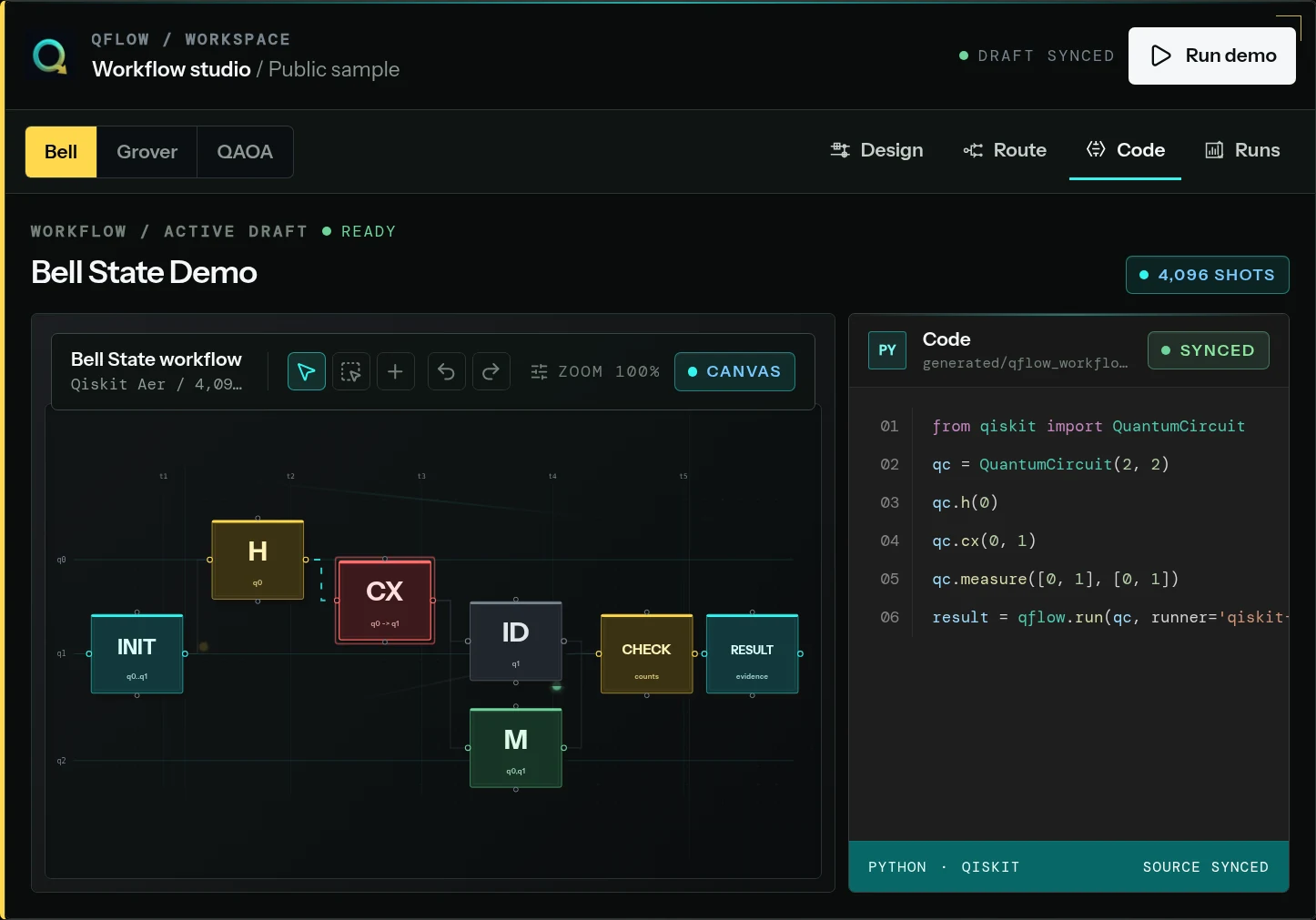
The Bell workflow begins with an operational question: can this implementation prepare two measured qubits whose results are correlated in the computational basis? The expected ideal distribution is concentrated on 00 and 11, not evenly spread across all four bit strings.
A useful brief records that expectation before execution. It also records what would cause review: appearances of 01 or 10 under a noisy route, a missing measurement, an unexpected source change, or a result produced under a different shot count than the one approved. This makes the later result interpretable instead of merely colorful.
|Φ+⟩ = (|00⟩ + |11⟩) / √2

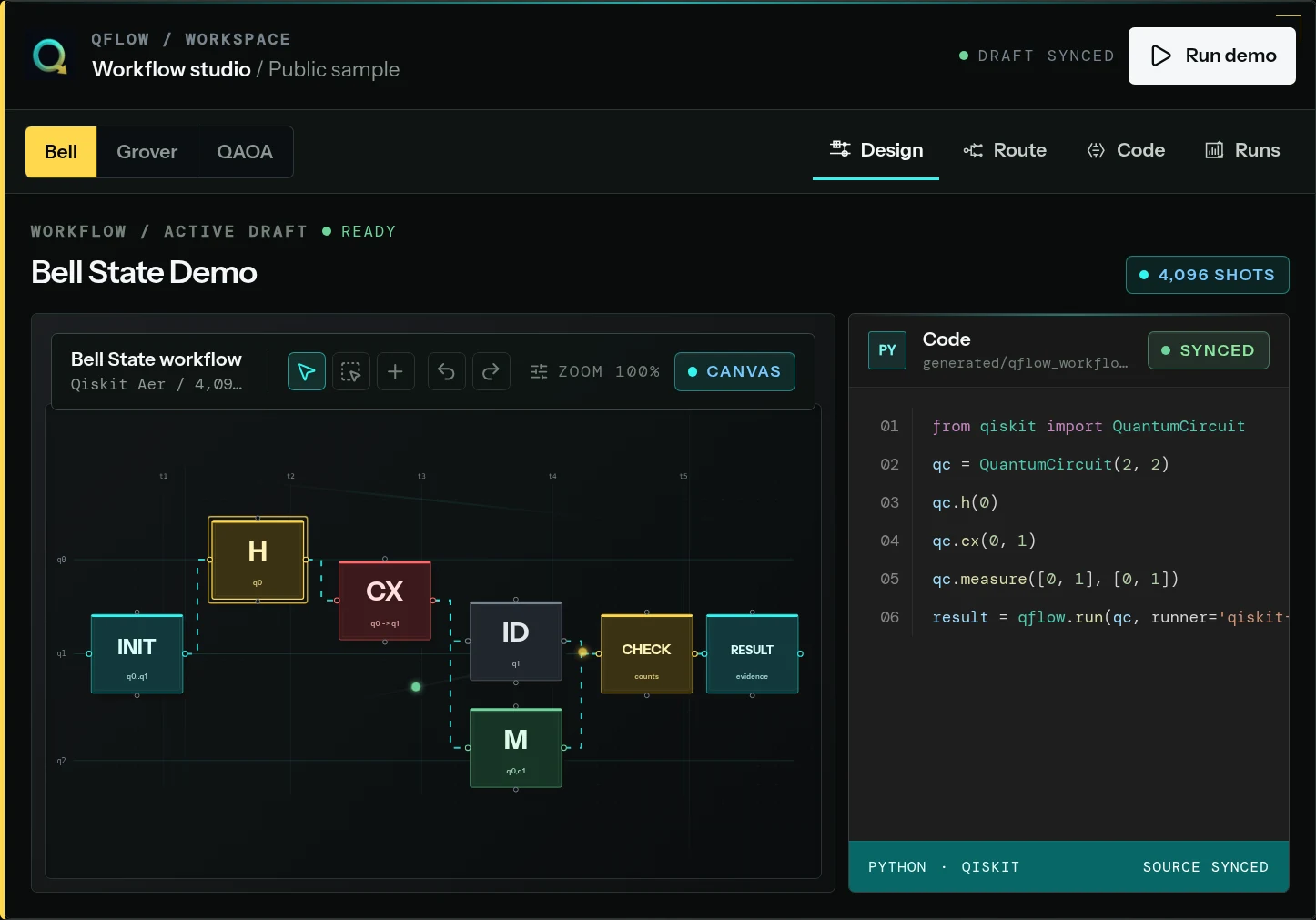
Workflow: H(q0) → CX(q0, q1) → measure(q0, q1)The canvas should expose circuit intent and validation state.
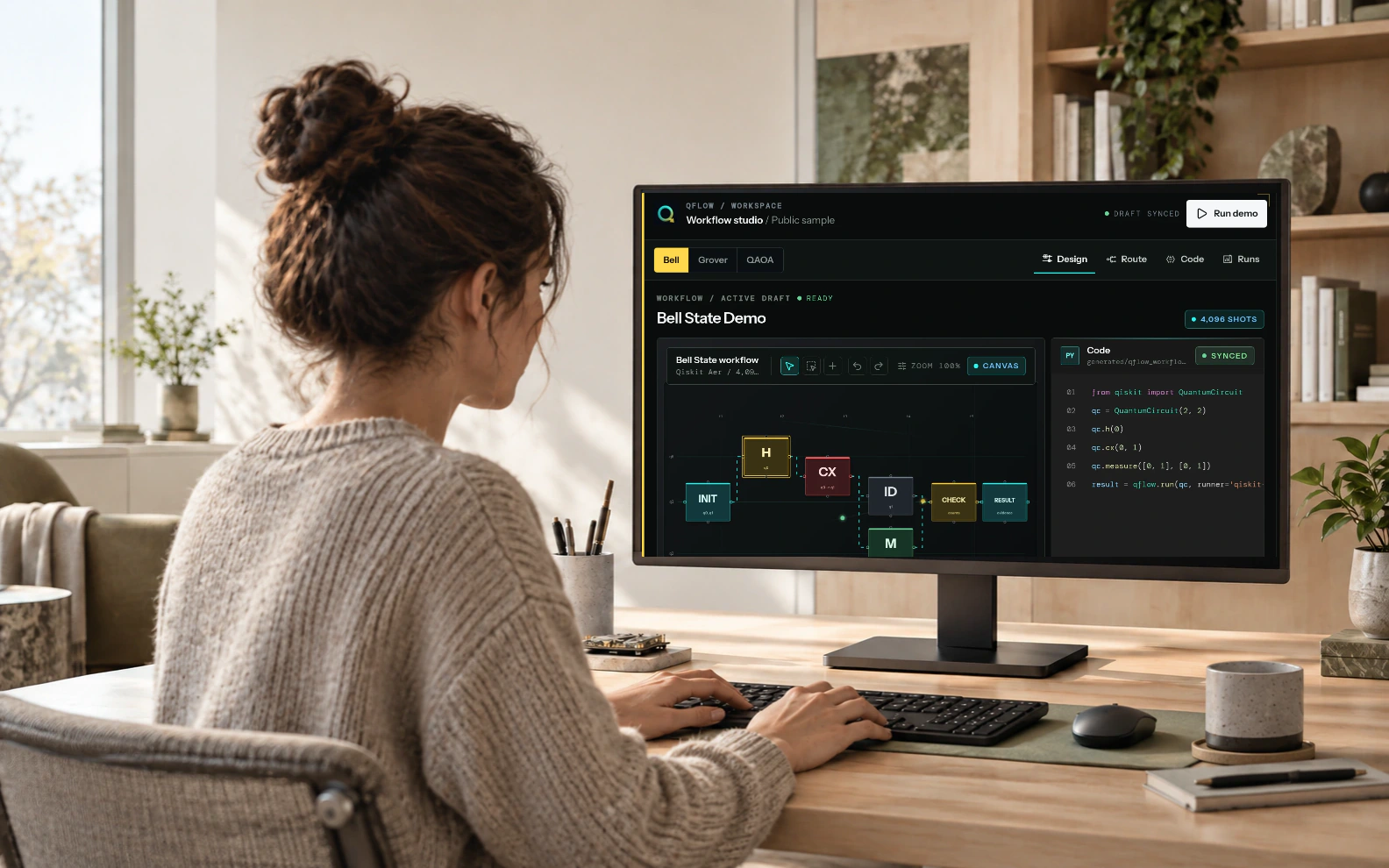
On the canvas, the Hadamard gate creates superposition on the first qubit and the controlled-X gate correlates the second. Measurement turns the state into classical results. Because each block remains inspectable, a learner can explain the circuit while an engineer can inspect parameters and a reviewer can compare the visible model with the approved brief.
Reusable starters accelerate common demonstrations, but templates do not remove responsibility. The team must still inspect qubit order, control and target direction, measurement mapping, parameters, and warnings. A workflow is trustworthy only when the visible structure and the intended behavior agree.
- Name the workflow by its question and version, not only by an algorithm label.
- Inspect control, target, measurement, and classical-bit mappings before every run.
- Treat validation warnings as review inputs; do not hide them to make the canvas look complete.
- Preserve the accepted circuit version with the result that it produced.
Qiskit, Cirq, and OpenQASM make the visual model inspectable in code.
QFlow’s public generated-code documentation presents Qiskit, Cirq, and OpenQASM views linked to the workflow. These are useful for different reasons: Python frameworks expose program logic and SDK calls, while OpenQASM provides a versioned circuit-language artifact where the selected implementation supports it.
Generated code is not automatically correct because it came from a visual model. Reviewers should compare qubit indices, gate order, parameters, measurement mapping, and source-format assumptions. If someone edits or exports source, the record should make clear which representation was authoritative for the run.
Validate the workflow locally before considering a credentialed route.
A Bell circuit is an ideal simulator-first check because its expected structure is easy to explain. The local route can expose missing measurements, invalid mappings, source errors, or a distribution that contradicts the brief without consuming external hardware access.
Moving to a provider route is a separate decision. A useful preflight records adapter status, device or backend context, account eligibility, shot plan, expected queue and cost considerations, and what the team will learn from hardware that simulation cannot answer. QFlow’s live status matrix distinguishes submit-capable beta routes from validation, access-preflight, credential-test, and planned paths; a logo alone is not evidence of submission support.
Status, trace, and result must refer to the same execution.
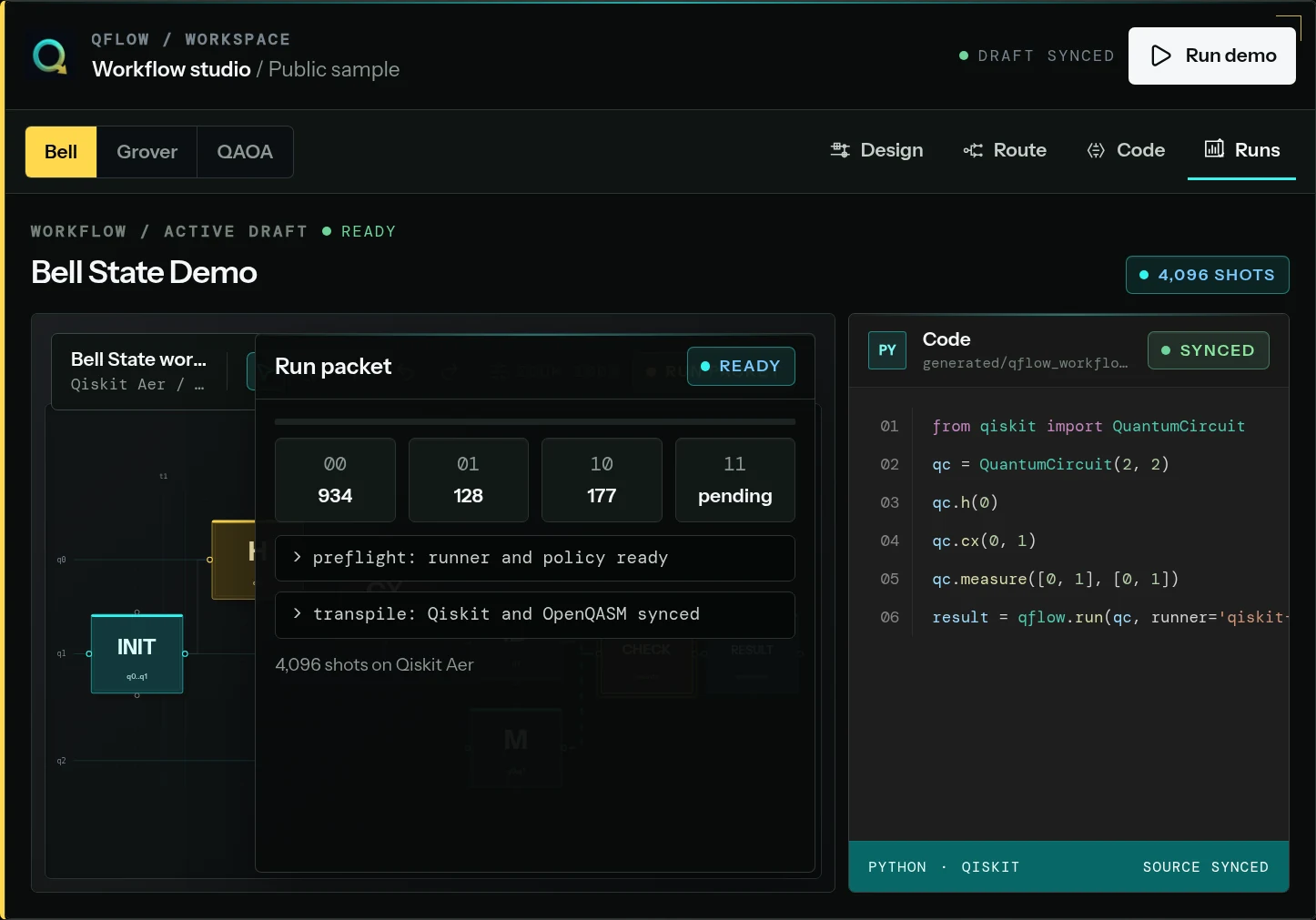
Once approved, the run record should preserve the chosen mode, route, non-secret configuration, timestamps, status changes, result object, and any external job reference. A failed or cancelled run belongs in the history too. Removing failures makes the final result look cleaner but destroys the information needed to diagnose reproducibility and cost.
Counts and probabilities answer the immediate Bell question. Exports make the result portable. The workflow record connects both to the circuit and source that produced them, so a later reader does not have to reconstruct the experiment from a screenshot, a notebook cell, and a provider dashboard opened in separate tabs.
Practical takeaways
01
Use the full name QFlow Studio when the quantum context is not already clear.
02
Define expected behavior and review conditions before building the circuit.
03
Inspect generated source instead of treating visual authoring as a black box.
04
Validate locally, then move to a credentialed route only for a stated reason.
05
Keep the brief, canvas, source, route, trace, result, export, and review note in one share-safe record.
RA · Reference annexDefinitions, recurring questions, editorial method, and primary sources.Inspect
The analysis above carries the main reading flow. This reference layer keeps terminology, recurring questions, editorial method, and primary sources available without interrupting the argument.
Field questions
Program questions behind QFlow Studio explained: from a visual Bell circuit to reviewable evidence..
Q01What is QFlow Studio?
QFlow Studio is a web-based visual quantum workflow and learning product that connects a brief, circuit canvas, generated source, simulator or provider route, run history, result exports, and reviewer-safe evidence in one workflow record.
Q02Is QFlow Studio a replacement for Qiskit?
No. Qiskit remains an independent SDK for quantum software development and execution. QFlow can generate and display Qiskit source while adding visual authoring, workflow context, route preflight, run history, learning, and evidence around it.
Q03Can QFlow Studio submit to every quantum provider?
No. Its public integration matrix separates local, submit-capable beta, validation, preflight, credential-test, and planned routes. Teams should verify the live status page and their independent provider eligibility before planning a submission.
Q04What is shared in a QFlow evidence packet?
A packet can connect the workflow and circuit, generated source, route, run trace, counts or probabilities, exports, and review note. Provider credentials, private workspace data, billing state, and administrative notes remain excluded.
Editorial record
How QFlow Studio explained: from a visual Bell circuit to reviewable evidence. was checked.
- Editorial owner
- Neura Parse Research
- Last verified
- July 20, 2026
- Method
- Synthesis of the dated primary and official records listed below, checked against the operating question in this note.
- Scope limit
- Planning analysis—not certification, customer performance evidence, procurement advice, or a claim of production readiness.
SRSources reviewed
6 records