
Solution / Quantum research and learning
Make the experiment easier to follow.
Start with a research question, a circuit or a learning task. QFlow Studio provides the product context for connecting the design, execution route and result.
Follow the approach
The question
What can this experiment establish?
A useful quantum result names the question, execution environment and comparison before anyone interprets the output.
- 01
What question is the experiment meant to answer?
- 02
Which environment and resource limits apply?
- 03
What baseline and review record make the result interpretable?
A bounded evaluation
Keep one experiment and its evidence together.
- 01
Define the question
Define one circuit or learning task and a classical or simulator baseline.
- 02
Choose the run route
Build and inspect the circuit; state whether the route is local simulation or a credentialed provider.
- 03
Review the record
Keep the circuit, generated view, environment, output and limitations together for review.
Relevant product
QFlow Studio
QFlow Studio connects visual circuit work, generated Qiskit/Cirq/OpenQASM views, local simulation, run history and reviewer-safe evidence. Provider routes carry their own status and access conditions.
Explore the product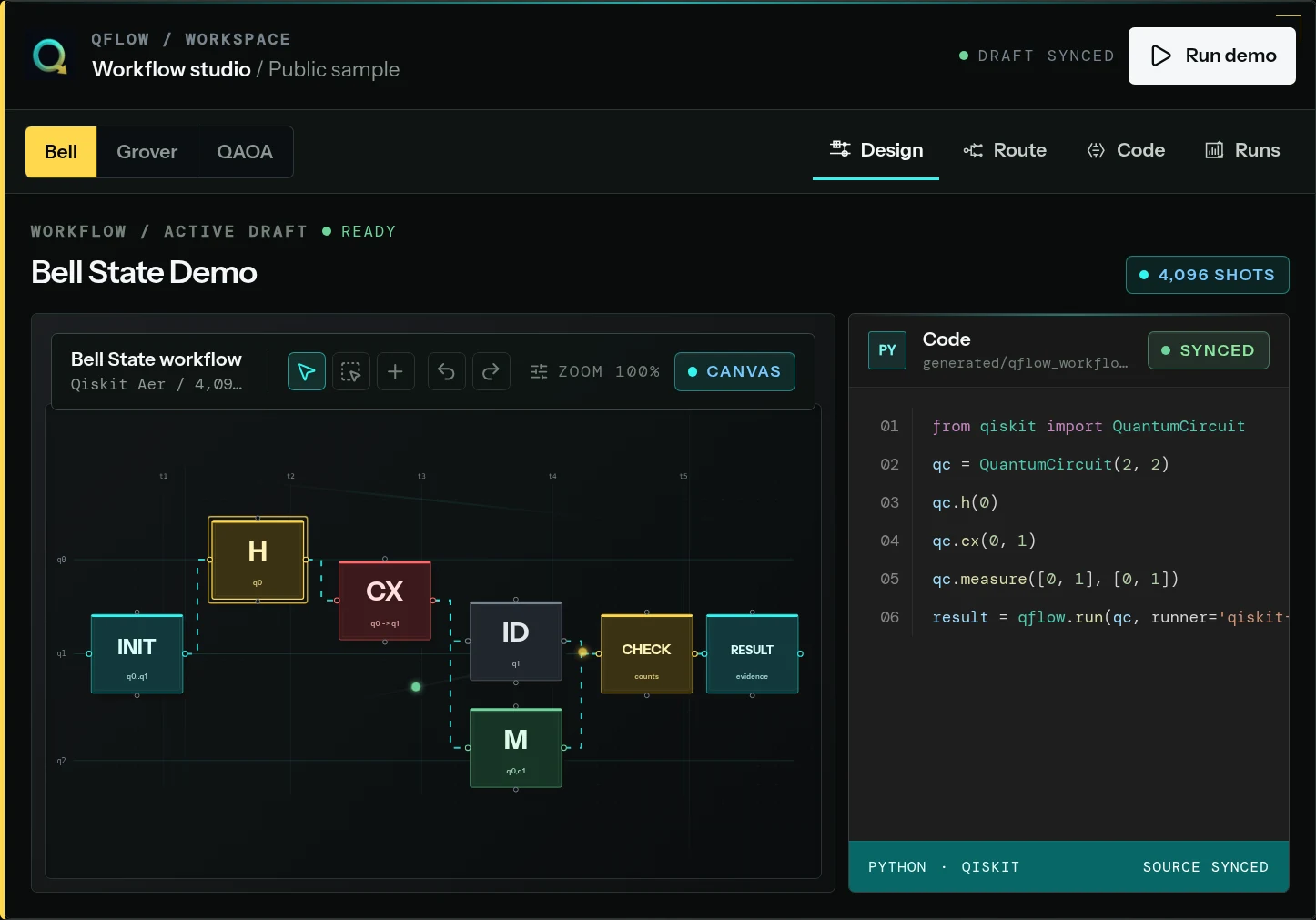
Useful output
A decision someone can review.
A reviewable experiment brief and run record, with its baseline and execution route named.
Current boundary
A local simulation and a credentialed provider run are different. Programme access and external provider access are considered separately.